How to Automate Lead Assignment and Follow-Ups with Automate CRM
Automate Business Team
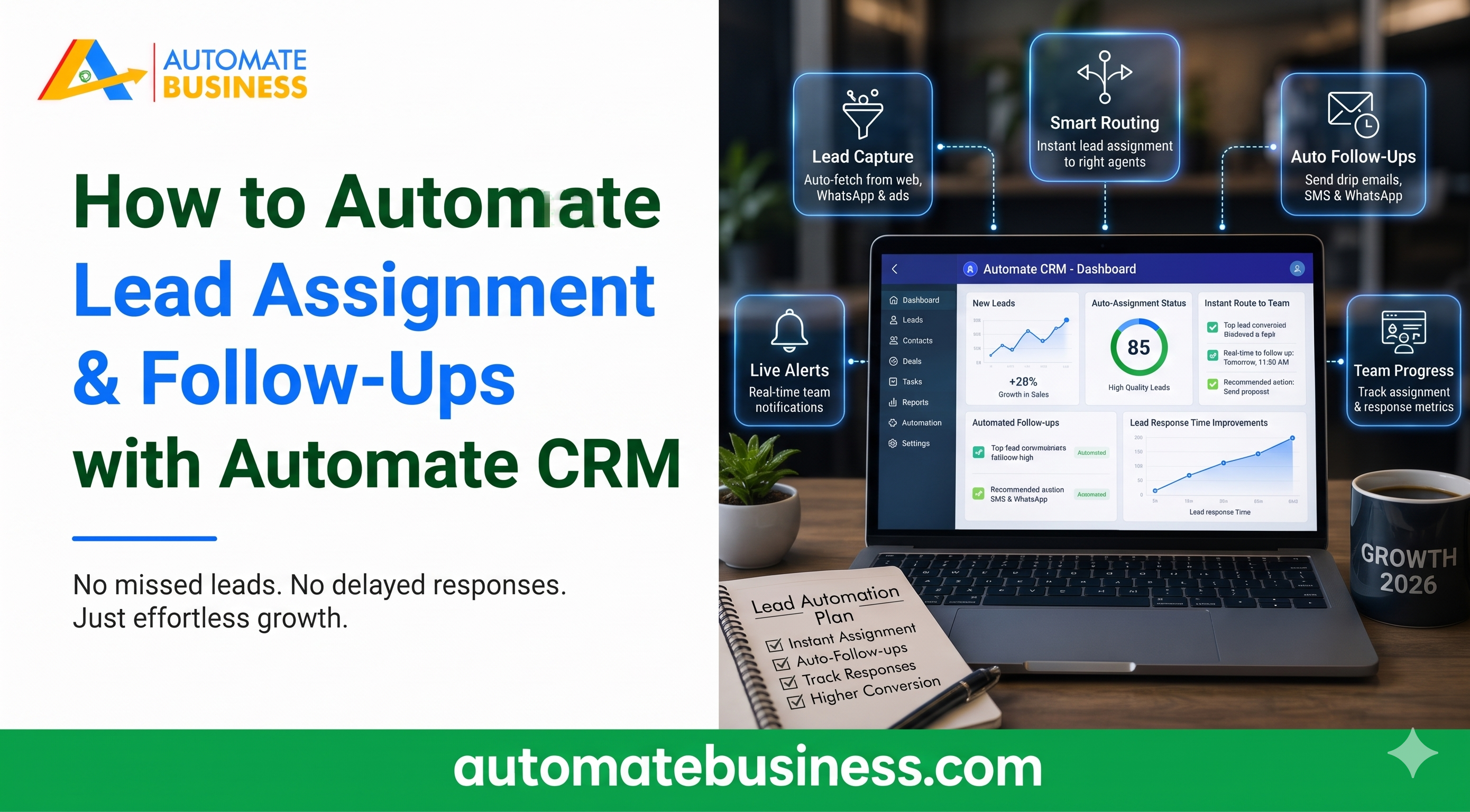
You can automate lead assignment and follow-ups by connecting your lead sources to a pipeline, assigning an owner to every lead, and setting follow-up reminders and stage-based actions. Automate CRM Software does this in one workspace with unlimited users on every plan. Leads from India MART and Facebook flow into your pipeline, and follow-ups, tasks and WhatsApp or email messages can trigger when a lead changes stage.
This guide walks through the full setup, step by step. It covers lead capture, ownership, reminders, stage automation, WhatsApp, AI and reporting. It also shows which plan includes each feature.
Why Manual Lead Handling Costs You Sales
Most Indian MSMEs still copy leads from portals into Excel. Follow-ups live in chats and notebooks. Managers ask for updates by phone.
This creates three problems. Leads wait too long for a first response. Nobody knows who owns which enquiry. Follow-ups get forgotten.
A CRM with automation fixes all three. One customer, CEO Akhil Singh, said his team was losing 30% of India MART leads because follow-ups were manual. After switching to Automate CRM, his lead-to-deal conversion rose by 45% in three months. Results vary, but the pattern is clear.
Step 1: Capture Leads Automatically from Every Source Automation starts the moment a lead arrives. If your team must type enquiries in by hand, delays are built in. Connect your sources first. On the Growth AI plan, you can connect India MART and Facebook Lead Forms. You choose the destination pipeline and map supported fields. This India MART CRM integration removes manual copying. Scale Max adds Trade India, API access and outbound webhooks. You can also import leads, contacts and products from CSV. The tool lets you map columns and preview records before importing.
Step 2: Set Up Pipelines That Match How You Sell Lead assignment works best when each lead lands in the right pipeline. A single generic flow does not suit every product line. Create pipelines for each way you sell. Automate CRM software supports multiple pipelines with custom stages. Starter includes 3 pipelines, Growth AI includes 10, and Scale Max includes 100. Each pipeline can have its own custom fields and tags. Growth AI also includes an AI pipeline builder. It helps you create pipeline templates faster. This is useful if you are setting up a new sales process.
Step 3: Automate Lead Assignment to the Right Owner Every lead needs one clear owner. Without it, two reps chase the same enquiry or nobody does. Lead assignment is included on every Automate CRM software plan. Assign leads by owner, product line or pipeline. Use custom fields and tags to organize them. Use bulk actions to reassign many leads at once. Role-based access controls who sees what. Starter includes basic roles and permissions. Growth AI and Scale Max add advanced roles, which helps branch-led teams keep records private.
Step 4: Schedule Follow-Ups and Reminders Follow-up discipline separates growing teams from stuck ones. Automate CRM lets reps schedule follow-ups against each lead. These CRM follow-up reminders appear in filters and alerts, so nothing is missed. Reps can filter leads by “follow up today” or “next action scheduled”. Each lead has a timeline with notes, attachments, tasks and follow-up history. Anyone opening the lead sees the full context. Field sales teams can update leads, notes and next actions from mobile. This keeps data current even when reps are on the road. Growth AI and Scale Max also connect Google Calendar for calendar-linked follow-ups.
Step 5: Use Stage-Based Automation to Trigger the Next Step Reminders help, but automation removes the manual step entirely. On Growth AI and Scale Max, a stage change can trigger actions. These include creating follow-ups and tasks, or sending templates. Here is a simple example. When a lead moves to “Qualified”, the CRM creates a follow-up task for the owner. When it moves to “Proposal sent”, it schedules a reminder to check in. Each stage can have its own rule. This is practical sales automation software. Reps spend less time planning and more time selling. Managers get consistent follow-up across the team.
Step 6: Add WhatsApp and Email CRM Automation Indian buyers respond fast on WhatsApp. Your CRM should use that channel. Growth AI and Scale Max can send WhatsApp and email templates when a lead changes stage. For WhatsApp CRM automation, connect WhatsApp Business or Automate Chats. For email, connect Gmail, Outlook, Zoho Mail or SMTP. One provider can be connected in each category at a time. Messaging requires a configured provider. Plan access, setup and provider charges apply. Confirm these costs before you roll out campaigns.
Step 7: Let AI Summarize Leads and Suggest Next Actions AI saves time on the small tasks that add up. Growth AI and Scale Max include AI tools for the sales day. They summarize lead activity, draft emails and help build pipeline templates. A CRM assistant can also help reps decide what to do next. For example, an AI lead summary might say a buyer wants bulk pricing for 500 units and the quote should go out today. Reps spend less time reading notes. Growth AI includes Bolna AI calling, and Scale Max adds Sarvam AI. Scale Max also supports Exotel and Voxbay calling with call logs. Access depends on permissions, credits and provider setup.
Step 8: Close the Loop with Quotations and Payments Follow-up should not stop at the proposal. Growth AI and Scale Max let you prepare quotations with products, charges and payment terms. You can export PDFs and create Razor pay payment links. When a payment is confirmed, the lead can move to Won automatically. This keeps your pipeline accurate without manual updates. Managers see collections beside pipeline value.
Step 9: Track Performance and Fix Gaps Automation only works if you measure it. Review pipeline value, follow-ups and collections by owner, pipeline and date. Spot reps with overdue follow-ups early. Owners get one view of leads, team performance, source quality and closures. Scale Max adds custom reports for deeper analysis. Customers using the system report saving 2+ hours a day on admin work.
Which Plan Includes What?
Starter includes lead assignment, follow-ups, custom fields, tags, dashboards and data export. It has no stage automation or quotations. It is available with yearly billing only.
Growth AI adds stage, task, follow-up, WhatsApp and email automation. It also adds quotations, Razorpay links, IndiaMART, Facebook Lead Forms and AI tools.
Scale Max adds TradeIndia, API access, webhooks, calling and custom reports. Enterprise is arranged with sales.
Pricing is a flat workspace fee, not per user. Starter is $50 a month billed yearly at $599, Growth AI is $119 a month, and Scale Max is $203 a month. Prices exclude GST, and 18% GST applies to India (INR) prices.
Frequently Asked Questions
How do I automate lead assignment in Automate CRM? Connect your lead sources, choose the destination pipeline, and assign an owner to each lead. Lead assignment is included on every plan.
Which plan automates follow-ups? All plans include scheduled follow-ups and reminders. Stage-based automation for follow-ups, tasks, WhatsApp and email starts on Growth AI.
Can Automate CRM capture IndiaMART leads? Yes. IndiaMART and Facebook Lead Forms are included on Growth AI and Scale Max.
Does Automate CRM charge per user? No. Each plan has a fixed workspace price with unlimited users.
Final Thoughts
Automating lead assignment and follow-ups is one of the fastest ways to improve sales discipline. Capture leads automatically, give each one an owner, and let reminders and stage rules do the chasing. Your team then focuses on conversations, not admin. Automate CRM Software brings all of this into one workspace. Book a demo to map your lead sources, pipelines and follow-up workflows.