A financial advisor’s WhatsApp is not a communication tool. It is a liability. Every client conversation that happens in a personal chat thread, every proposal follow-up sent from a personal email account, and every commitment made over a voice note exists outside any system the firm can see, measure, or hand over when the advisor leaves. In finance and consulting, where trust is the product and continuity is the promise, this is not a workflow inconvenience. It is a structural risk and a CRM is the system that eliminates it.
The Two Communication Channels That Are Running Your Practice and the Problem With Both
Walk into any financial advisory firm or consulting practice in India and you will find the same communication infrastructure: a WhatsApp group for client updates, a personal Gmail or Outlook account for proposals, and a team of advisors who manage both channels independently with no shared visibility and no connected record of what was said, promised, or agreed.
WhatsApp is where the relationship lives. Email is where the formal record lives. And the CRM if it exists at all is where nobody looks because it is not connected to either.
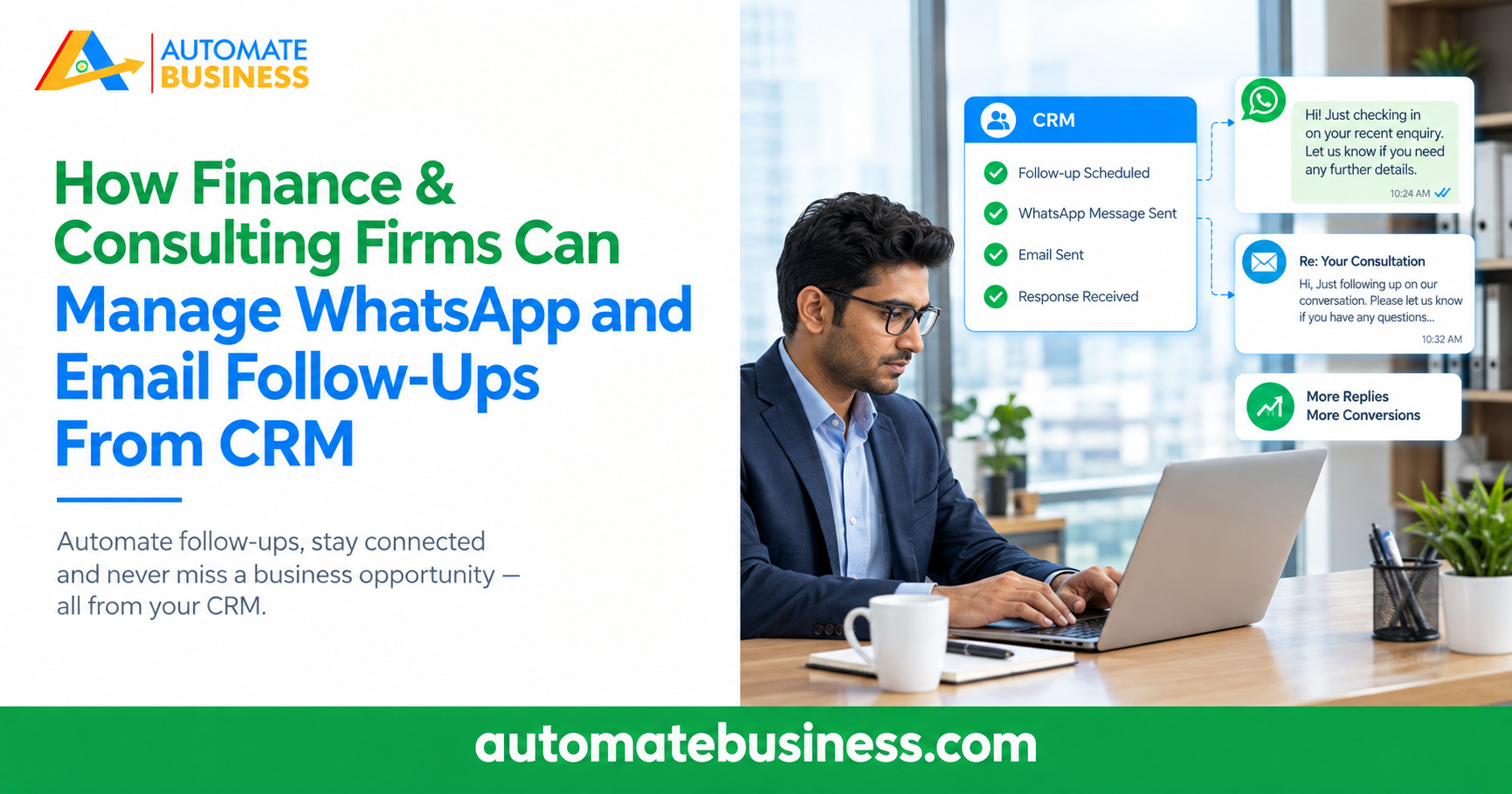
Automate CRM changes this completely. It connects WhatsApp Business API and SMTP email directly into the CRM pipeline so every message sent and received across both channels is logged against the right client record, every follow-up is triggered automatically based on pipeline stage, and every advisor on the team has full visibility into the complete communication history for every client. The WhatsApp stays personal. The email stays formal. The CRM makes both visible, measurable, and manageable.
In this guide, we map the exact problems that arise when WhatsApp and email operate outside the CRM, and how Automate CRM brings both channels into a single, connected, automated system for finance and consulting firms.
When a client’s relationship lives in an advisor’s personal WhatsApp, the firm owns the advice but not the relationship. The CRM fixes that.
Why Managing Client Follow-Ups Across Two Separate Channels Creates Structural Problems
Finance and consulting firms use WhatsApp and email for different reasons, and both choices are rational. WhatsApp is fast, familiar, and the channel clients actually respond to. Email is formal, documented, and appropriate for proposals, agreements, and official correspondence. The problem is not using both channels. The problem is managing both channels independently, outside any shared system.
When WhatsApp and email are disconnected from the CRM, five structural problems emerge that directly cost the firm clients, revenue, and reputation.
- The Advisor Who Left and Took the Relationship With Them
A senior advisor manages fifteen active client conversations across their personal WhatsApp and personal email. They leave the firm. Their phone goes with them. Their Gmail account goes with them. The firm has no record of what was discussed with those fifteen clients, what was promised, or where each engagement was in the process. Every one of those clients receives a call from a replacement who knows nothing about them. Some move their business immediately. - The Follow-Up That Fell Between Channels
A client responds to a proposal email with questions. The advisor replies. The client then sends a follow-up on WhatsApp three days later with a different question. The advisor responds on WhatsApp. Two weeks pass. The email thread and the WhatsApp thread now contain two separate halves of the same negotiation, and no one including the advisor has a complete picture of where the conversation actually stands. - The Principal Who Cannot See What Is Happening
The managing partner of a consulting firm wants to know how many proposals are currently outstanding and which ones have not been followed up in the last seven days. To find out, they must message each advisor individually and wait for a response. Some advisors respond promptly. Some respond with numbers that are estimates. One is on leave. The picture the partner builds is incomplete, delayed, and based on self-reported data rather than a system record. - The Client Who Had to Repeat Themselves
A client of a financial advisory firm calls to follow up on a query they raised two weeks ago. The advisor who took the original query is on leave. The colleague who answers the call has no record of the original conversation. They ask the client to explain the situation again. The client, who has been a retainer client for three years, begins evaluating whether their trust in the firm is well placed. - The Renewal That Was Never Followed Up Because Nobody’s System Had the Date
A consulting engagement ends in March. The contract included a 90-day renewal option. Nobody set a reminder. The client does not hear from the firm between March and July. In July they sign a retainer with a competitor who called them in May not because their advice was better, but because their system remembered and the firm’s did not.
Managing WhatsApp and Email From CRM: How It Works in Automate CRM
Automate CRM connects both channels directly into the sales and client management pipeline. Here is how each channel is managed, what changes, and what the practical impact is for a finance or consulting firm:
- WhatsApp Business API — Branded, Automated, and Logged
WhatsApp is where Indian clients actually respond. But personal WhatsApp conversations are invisible to the firm, untracked in any system, and lost when an advisor changes phones or leaves.
Without CRM: Every WhatsApp conversation with a client lives in an advisor’s personal phone. When they leave, the conversation history leaves with them. The firm has no record.
With Automate CRM: WhatsApp messages sent and received through Automate CRM are logged automatically in the client’s timeline. Every conversation is visible to every authorized team member. When an advisor leaves, the full WhatsApp history stays in the CRM.
How it works: Automate CRM connects to your firm’s own WhatsApp Business API credentials (WABA). Every automated message acknowledgements, follow-up reminders, proposal alerts, renewal notices comes from your firm’s branded number. Template messages are configured for each stage of the client journey. A prospect enquiry triggers an instant acknowledgement. A proposal sent triggers a 48-hour follow-up reminder. A renewal date approaching triggers a re-engagement sequence. All of this happens automatically, from your number, logged in the CRM. - SMTP Email Professional, Personalized, and Pipeline-Connected
Email is where formal communication happens in professional services: proposals, agreements, engagement letters, and structured follow-up. But when email lives outside the CRM, there is no connection between what was emailed and where the client sits in the relationship pipeline.
Without CRM: Proposals are sent from personal email accounts. There is no tracking on whether the email was opened. There is no automatic follow-up if the client does not respond within 48 hours. There is no connection between the email thread and the CRM pipeline stage.
With Automate CRM: SMTP email in Automate CRM connects directly to the firm’s email domain. Proposals, follow-up emails, and re-engagement sequences are sent from the firm’s branded email address. Delivery and stage changes are logged in the client record automatically.
How it works: Automate CRM’s SMTP integration lets advisors compose and send emails directly from the lead record. AI email generation produces personalized proposal summaries, follow-up messages, and re-engagement drafts in seconds, drawing from the context already in the lead record. Stage-change automation triggers email sequences automatically: when a lead moves to ‘Proposal Sent,’ a follow-up email is scheduled for 48 hours later without the advisor creating a reminder. Every email sent is logged in the client timeline alongside their WhatsApp exchanges.
The Unified Client Timeline: Where WhatsApp and Email Meet
The most powerful output of connecting both channels to the CRM is not the automation. It is the timeline. Every client in Automate CRM has a single chronological record of every interaction the WhatsApp message sent on Monday, the email proposal on Tuesday, the call logged on Thursday, the WhatsApp follow-up on Friday, and the email reply received the following week.
This unified timeline changes three things for finance and consulting firms that are not possible when channels are separated:
- Every advisor walks into every call fully prepared
Before calling a client, an advisor opens the CRM record and sees the complete interaction history in one view not a WhatsApp thread in one app and an email search in another. They know exactly what was last discussed, what was committed to, and what the client is still waiting for. No client ever has to repeat themselves. - Every handover is complete, not approximate
When a client’s relationship is handed over whether because an advisor is on leave, changing role, or leaving the firm the replacement opens the same timeline and inherits the full relationship context. The handover is a CRM record, not a verbal summary. The client experiences no break in the quality of service. - Every principal has a real view of the practice
When WhatsApp and email are in the CRM, the managing partner’s dashboard reflects reality. They can see how many proposals are outstanding and for how long, which clients have not been contacted in more than seven days, which advisors are following up consistently and which are not, and which stage of the pipeline is causing the most deals to stall. They do not need to ask the team. The data is live.
How Automate CRM Is Built Differently From Generic CRM Platforms for This Use Case
Most CRM platforms offer email and WhatsApp integrations as premium add-ons or as connections to shared sender services that do not carry the firm’s branding. For finance and consulting firms where the brand is built on trust and professionalism, these generic integrations fall short in five specific ways:
- WhatsApp Integration Branded vs Generic
Generic CRMs: Connect to a shared WhatsApp sender service where messages come from an unknown generic number. Clients see automation, not the firm.
Automate CRM: Connect to your firm’s own WABA credentials. Every WhatsApp automated or manual comes from your registered business name and number. The professional identity of the firm is preserved in every automated touchpoint. - AI Email Content Context-Aware vs Generic Templates
Generic CRMs: Provide templated email sequences with placeholder fields like [Name] and [Company]. The output reads like a form letter regardless of the client’s situation.
Automate CRM: AI email generation in Automate CRM draws from the client record: their name, their specific requirement, the current pipeline stage, and the last logged interaction. The output reads like a message written specifically for that client, reviewed and sent by the advisor in seconds. - Unified Timeline Both Channels vs Single Channel
Generic CRMs: Integrate only email or only WhatsApp, but not both in a connected timeline. Advisors still switch between apps to get a complete picture of client communication.
Automate CRM: Automate CRM logs every WhatsApp exchange and every email in the same client timeline in chronological order. One screen shows the full communication history across both channels without switching apps. - Principal Dashboard Live vs Requested
Generic CRMs: Require a report to be manually generated or exported to see communication activity across the team. By the time the report is ready, it reflects yesterday’s state.
Automate CRM: The live dashboard in Automate CRM shows communication activity, follow-up status, pipeline stage, and overdue actions across every advisor and every client in real time. Principals see everything without requesting a single report. - Post-Engagement Communication Systematic vs Manual
Generic CRMs: End CRM-managed communication at the point of sale. Post-engagement communication reverts to personal email and WhatsApp, invisible to the firm again.
Automate CRM: Automate CRM’s retention pipeline keeps WhatsApp and email automation running after an engagement closes. Milestone check-ins, renewal reminders, and referral requests are automated across both channels based on custom date fields in the client record.
What Finance & Consulting Firms Report After Connecting Both Channels to Automate CRM
- Zero client communication history lost when an advisor leaves — the full timeline stays in the firm’s CRM.
- 45% higher lead-to-engagement conversion from consistent, automated multi-channel follow-up.
- First response to every consultation enquiry within 90 seconds via branded WhatsApp automation.
- Principal-level visibility into all active client communications without requesting a status update.
- Our clients now ask us how we always seem to know exactly where we left off. The CRM holds the thread. We focus on the advice.
Is Your Firm’s Communication Infrastructure Creating Risk?
Run your current WhatsApp and email setup against these six standards. If any are missing, the firm is carrying relationship risk it cannot see:
- Every client WhatsApp conversation is logged in a shared system, not in an advisor’s personal phone.
- Every proposal email is sent from the firm’s branded domain and logged in the client’s CRM record.
- Every follow-up commitment across both channels is backed by a system-created task with a deadline.
- When an advisor is absent or leaves, the full communication history is accessible to their replacement in seconds.
- The managing partner can see all outstanding follow-ups across both channels without asking the team.
- Post-engagement communication is automated and systematic, not dependent on individual advisor initiative.
A firm that manages client communication across personal WhatsApp accounts and personal email threads does not have a communication system. It has individual advisors, each running their own practice inside the firm’s name.
Connect Both Channels. Own the Relationship.
Finance and consulting firms that manage WhatsApp and email inside a connected CRM do not just become more efficient. They become more trusted. Every client interaction is consistent, every follow-up is reliable, and every principal has the visibility to ensure the firm’s standards are being maintained across every advisor and every engagement.
Automate CRM brings WhatsApp Business API and SMTP email into one pipeline, configured specifically for how professional service firms manage client relationships from the first enquiry acknowledgement to the post-engagement renewal. Most firms are live with both channels connected within 48 hours of onboarding.
When both channels live in the CRM, the firm owns the relationship not the advisor who last held the phone.
Book a free personalized walkthrough at Automate CRM’s WhatsApp and email automation configured live for your firm’s service lines and client communication workflow.