
CRM with Custom Reports: How to Measure Sales Performance Beyond Basic Dashboards
CRM with custom reports lets you track sales performance beyond basic dashboards. Learn key metrics, pipeline reporting and how to choose the right CRM.
Join the Business AI Summit 2027
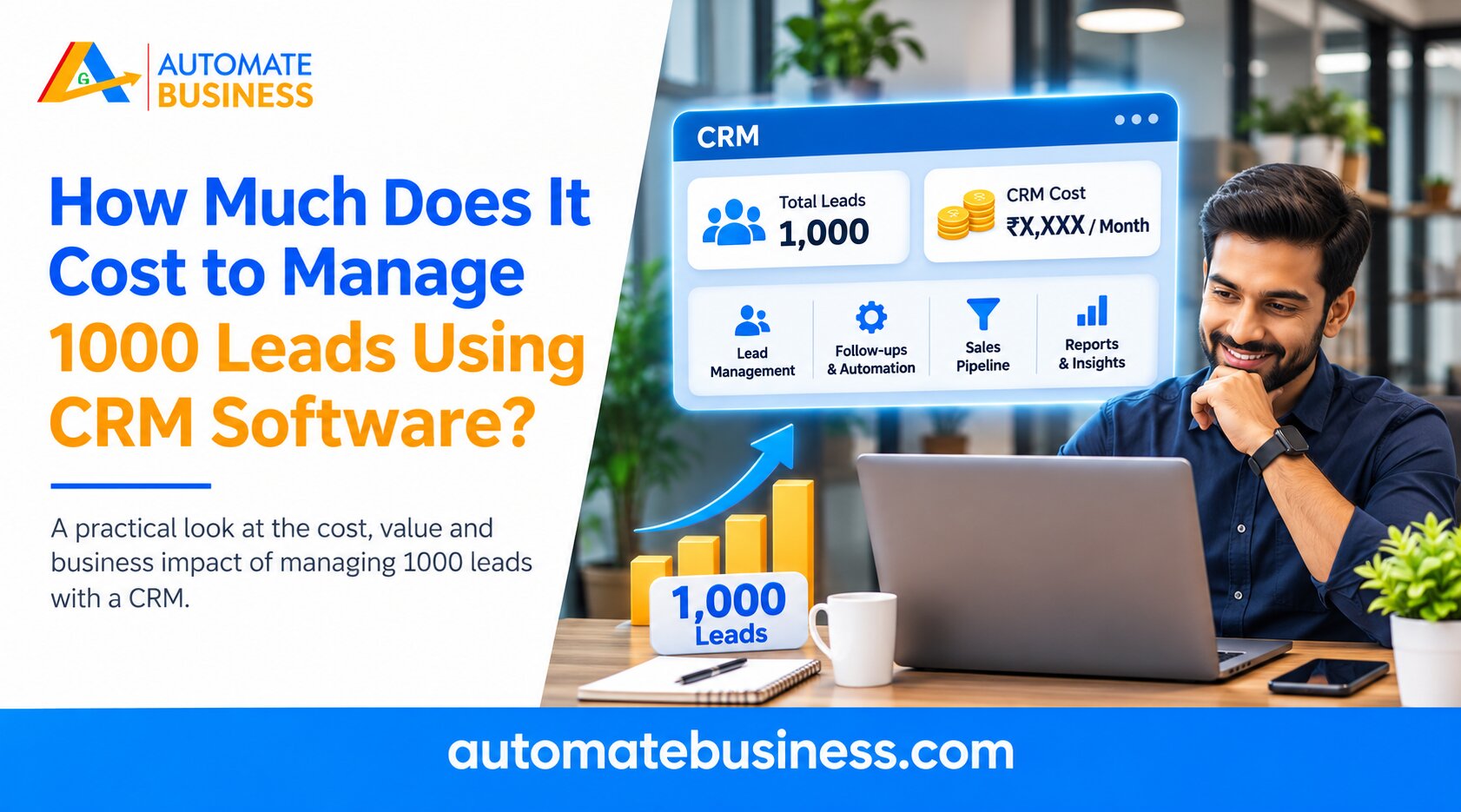
Managing 1000 leads with Automate CRM Software costs one fixed workspace fee, not a charge per lead or per user. Every plan includes unlimited users and lead capacity far above 1000. Your cost depends mainly on which features you add, such as automation, AI and integrations.
This guide explains what drives the cost of managing 1000 leads using CRM software. It also covers what to check before you buy and how to keep every lead moving toward a sale.
What Does It Cost to Manage 1000 Leads Using CRM Software?
The honest answer is that it depends on how the CRM charges you. Many tools bill per user, so your cost grows every time you add a salesperson. Others limit contacts or leads, so you pay more as your database grows.
Automate CRM works differently. Each plan has a fixed workspace cost and unlimited users. Your whole team can log in without raising the bill.
For 1000 leads, capacity is never the problem. Even the entry-level plan holds 5,000 leads and 5,000 contacts. So the real question is which features your sales process needs today.
Why 1000 Leads Is a Turning Point for Your Sales Team
Ten or twenty leads fit in a notebook. A hundred fit in an Excel sheet. At 1000 leads, spreadsheets and WhatsApp chats stop working.
Follow-ups slip through the cracks. Two people call the same prospect. Nobody knows which enquiry came from India MART and which came from your website.
This is the stage where lead management software pays for itself. A good CRM gives every enquiry an owner, a stage and a next action. You stop relying on memory and start running sales on a system.
What Drives the CRM Software Cost for 1000 Leads?
Several factors decide what you pay for CRM software. Knowing them helps you avoid overbuying or underbuying.
Ask about that last point before you sign up. A transparent vendor tells you which services are included and which need separate provider setup.
How Automate CRM Helps You Manage 1000 Leads
Automate CRM is built for growing Indian MSMEs. It keeps enquiries, follow-ups, quotations and payments in one place. Here is how it handles a 1000-lead database.
Keep every customer's history together. Manage leads, contacts, companies and products with custom fields, tags and owners. Switch between list and Kanban views. Notes, messages and follow-ups stay attached to each enquiry.
Bring enquiries into your pipeline. Import existing leads from CSV with field mapping and a preview. Connect India MART and Facebook Lead Forms so new enquiries land in the right pipeline automatically.
Automate the next step. When a lead changes stage, the CRM can create a follow-up or task. It can also send a WhatsApp or email template. Messaging needs a configured provider.
Turn quotations into collected payments. Prepare quotations with products and payment terms, then export them as PDFs. Create Razor pay payment links, and a confirmed payment can move the lead to Won.
Use AI during the sales day. Summarize lead activity, draft emails and build pipeline templates with the CRM assistant. Bolna AI calling is included in the higher plans.
Who Is This For? Real Sales Roles, Real Needs
A CRM only works if the people using it find it useful. Here is how different roles benefit when handling 1000 leads.
Business owners get one view of leads, team performance, source quality and closures. You stop chasing updates and start reading a dashboard.
Sales managers create pipelines, assign leads and automate follow-ups. They can track stage-wise performance for each rep.
Inside sales teams work faster with filters, templates, bulk actions and reminders. Nobody has to remember who to call next.
Field sales teams update notes, follow-ups and next actions from mobile while on the move. Nothing waits until they are back at a desk.
Because users are unlimited, adding a new tele caller or branch manager never needs a budget conversation.
The Hidden Cost of Managing Leads Manually
Software cost is only half the picture. Manual lead handling has costs of its own, and they are easy to miss. The biggest is lost leads. One Automate CRM user reported losing 30% of their India MART leads because follow-ups were manual. After switching, their lead-to-deal conversion rose by 45% in three months.
The second is wasted time. Automate Business case studies point to more than two hours of admin time saved per day. That is time your team can spend selling instead of updating sheets. Compare those losses with a fixed workspace cost. For most growing teams, the CRM pays for itself by recovering even a small share of lost enquiries.
How to Start Managing 1000 Leads in Automate CRM
You can set up your first pipeline in a few simple steps.
New workspaces can start a 7-day trial without a credit card. That is enough time to import your leads and test the workflow.
Frequently Asked Questions
Final Thoughts
Managing 1000 leads using CRM software does not have to be complicated or unpredictable. With Automate CRM Software, you get unlimited users, a fixed workspace model and tools that grow with your sales process. The right setup helps you follow up faster, close more deals and see your whole pipeline at a glance. Ready to see it in action? Book a demo of Automate CRM Software or start your free trial and import your first 1000 leads today.
Get more insights every week. Join Kewal's free WhatsApp community for live sessions and automation tips.
Join 12,000+ MSMEs who automated their business. Join the 2 day live hackathon today.